# View Calendar (Month)
Selecting the _**Calendar (Month)**_ entry from the _**View**_ menu will display the calendar of the current month.
Depending on your permissions and the default settings set by the administrator you will see users and absences of the current month.
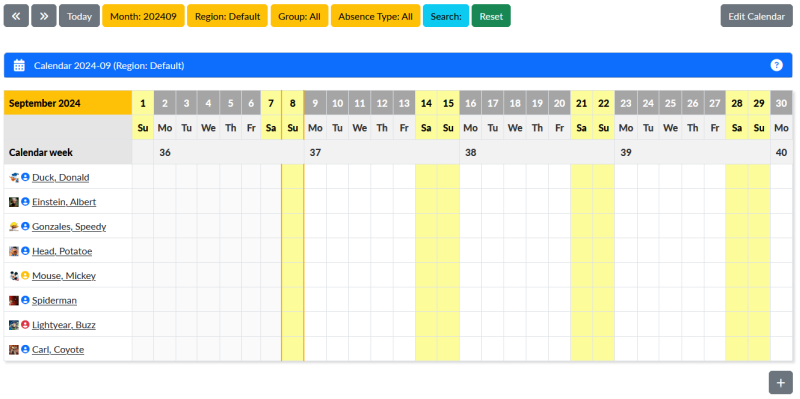
At the top of the calendar you can use several buttons to restrict and filter the display.
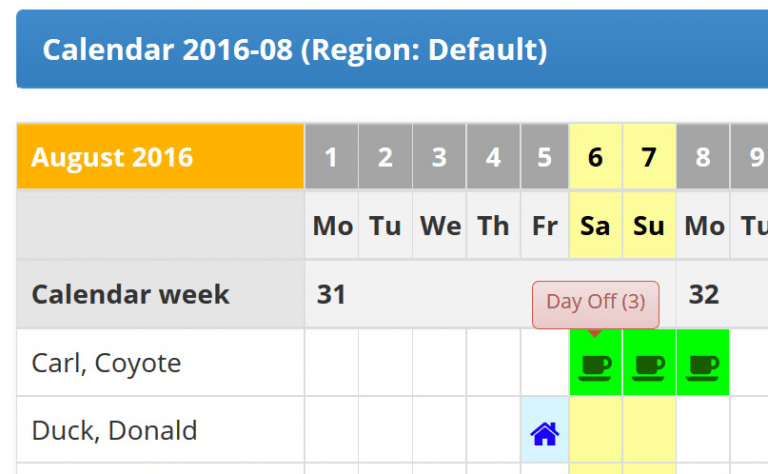
A mouse-over tool tip displays the name of the absence and it’s amount taken for this user and month.
## Buttons
| Button | Description |
| ------------- | -------------------------------------------------------------------------------------------------------------------------------------------------------------------------------------------------------------------------------------------------------------------------------------------- |
| << | Go back a month |
| >> | Go forward a month |
| Today | Goes back to today’s month |
| Region | Select the region you want |
| Group | Select the group you want |
| Absence Type | Filter by absence type |
| Search | Search for any string in a user’s first or last name |
| Reset | Reset the display to its default and removes all your filters |
| Screen | Only visible when mobile support is enabled. Allows you to select your screen width. |
| Edit Calendar | This button will show if you are allowed to edit your own calendar. It will open the Edit page with the currently selected month and region.
Note: You can also load the edit page by clicking anywhere in your row of the calendar view (see “Quick Edit” below).
|
| + | Show one more month |
| - | Show one month less |
## Display Options
Administrators have several options to alter the display of the calendar a bit. Here is an example where the users are grouped by group plus an absence count is added to each user’s name field. Also, the days in the past a colored gray.

## Quick Edit
If you are allowed to edit a user’s calendar, just click anywhere in the row of that user. A tooltip also tells you about this option.

## Filters
The buttons on top of the Calendar display provides options to filter the display, narrow down the list of users you see. Any of you filter settings, when saved, will be stored in your profile and applied again when you look at the calendar again. The “Reset” button removes your filter settings from your profile.
## Responsive Display
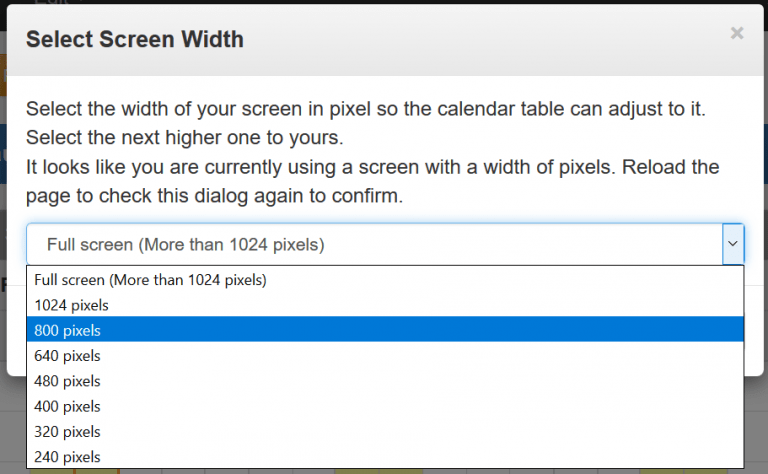
If the administrator has enabled mobile display support, you will be able to select your screen width via the \[ Screen: ] button. The calendar display will then be adjusted (broken down in sections) to your device’s screen size. Only as many days as fit on your screen will be shown in one horizontal section. Several horizontal sections are produced so you only have to scroll vertically to view the month.
If your exact width is not in the list, select the next higher one.