jco-issue
Description
With the jco-issue shortcode you can display a single Jira issue on your page or post. You can select between three formats: button, inline and panel.
The button format works without a license. The inline and panel formats need an active license.
Examples and Outputs
[jco-issue host="317" key="EX-123" format="button"]
[jco-issue host="317" key="EX-123" format="inline"]
[jco-issue host="317" key="EX-123" format="panel"]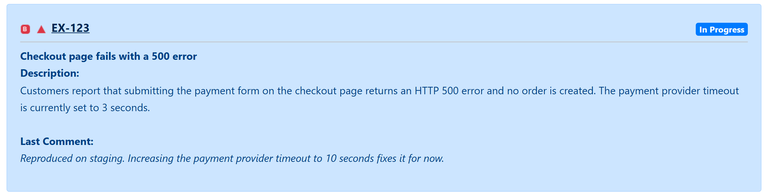
All three formats on one page:
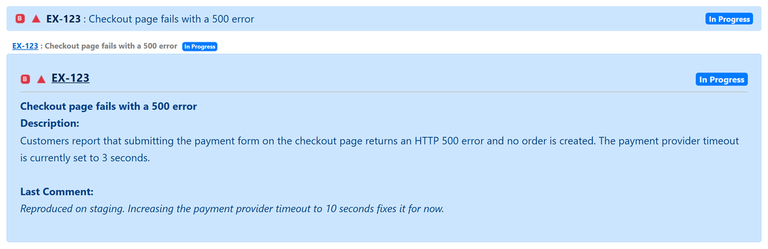
Format
[jco-issue parameter="value" ...]Parameters
| Parameter | Description | Default |
|---|---|---|
| color | Custom Bootstrap color for the output. Overwrites the global setting for this shortcode. |
no value |
| description | The amount of characters to show from the description of the Jira issue. Only works with format = panel. Overwrites the global setting for this shortcode. |
240 |
| format | Display format for this Jira issue:
|
button |
| host | * Mandatory. The post ID of the Jira host |
no value |
| key | * Mandatory. The Jira issue key |
no value |
| linktojira | If set to 1 or true, link the issue key to the issue in Jira. Set to 0 or false to remove the link. Overwrites the global setting for this shortcode. |
global setting |
| outline | If set to 1 or true, no fill color is used. Only works with format = button. |
false |
| summary | The amount of characters to show from the summary of the Jira issue. Set to 0 to hide the summary. Works with format = button and format = inline. |
40 |
The inline format uses the Issue Button color and summary length. See Options.
Gutenberg Block
In the block editor you can insert the Jira Issue block and select the format and the same options in the block sidebar. See Gutenberg Blocks.