System Log
The System Log shows you all events that occurred in TeamCal Neo and who performed them. You can customize what is logged and what not.
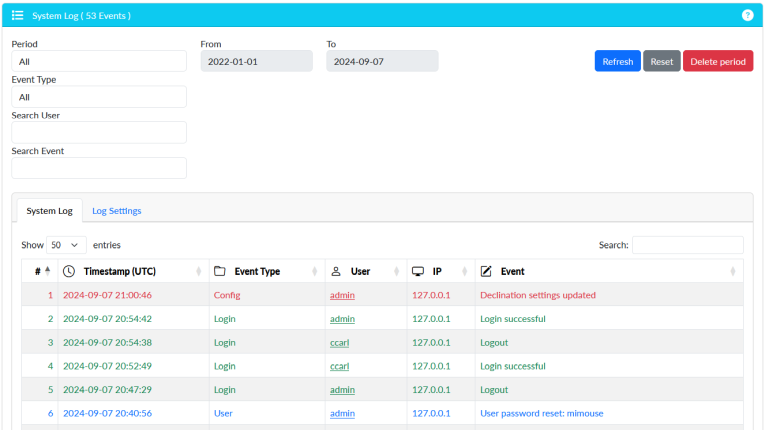
Filter
| Input | Description |
|---|---|
| Period | Select the period of event you want to view |
| Event Type | Select the event type to filter by |
| Search User | Enter the username or partial username to filter by |
| Search Event | Enter a string to filter the event by |
| From/To | These fields will be enabled if you you select “Custom” in the Period list box. They allow you to specify a custom period to view. |
Buttons
| Button | Description |
|---|---|
| Refresh | Refreshes the display |
| Reset | Resets the display to the default |
| Delete Period | Deletes all events from the selected period |
| (table header sort arrows) | Toggles ascending/descending sort order of the respective column |
Log Settings
This tab lets you select what events you want to log, what events you want to show in the log and what color each event types shall have.