Edit Daynotes
A daynote pops up when a user moves the mouse over a day in the calendar. It offers the option to add information about your absence.
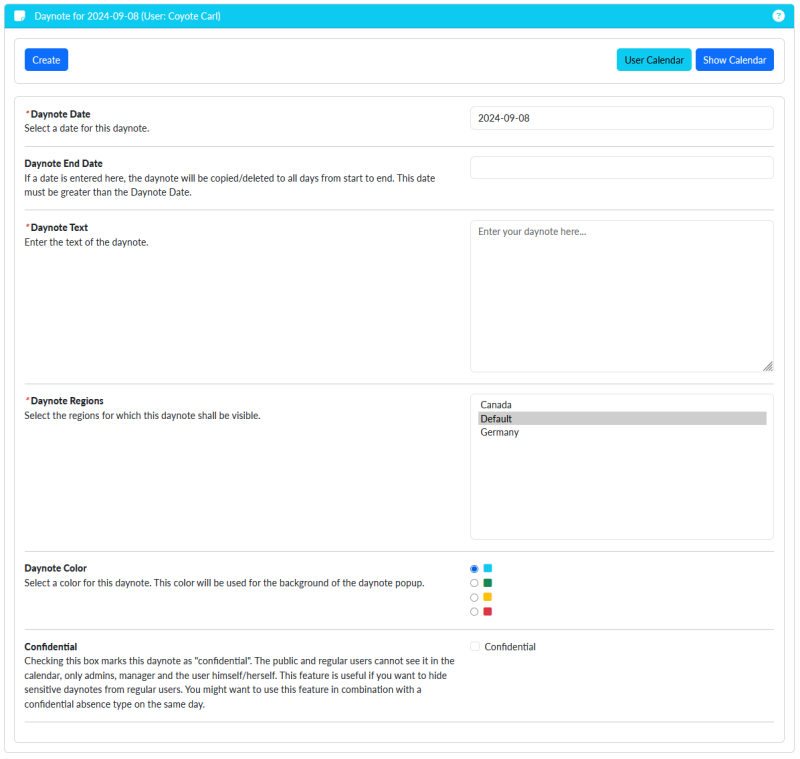
In the daynote dialog you can select the
- Daynote Day
- Daynote End Date (if you want the daynote to recur over several days)
- Daynote Text
- Daynote Regions (for which region/s shall this Daynote be visible)
- Daynote Color
- Confidential (only trusted roles and yourself can see the daynote)
Trusted roles are defined by the administrator. For example, if the role “Manager” is a trusted role they can see confidential daynotes.
| Button | Description |
|---|---|
| Create | Creates a new daynote |
| Update | Updates a daynote |
| Delete | Deletes a daynote |
| Region Calendar | Only shown when editing a month daynote. Will go back to the month edit of the currently selected region. |
| User Calendar | Only shown when editing a user daynote. Will go back to the calendar edit of the currently selected user and month. |
| Show Calendar | Will go back to the calendar view |