Base Data
Fleet → Base Data holds the selection lists used by the vehicle and event forms. Open it with manage_lookups; the Agent and Administrator roles have it.
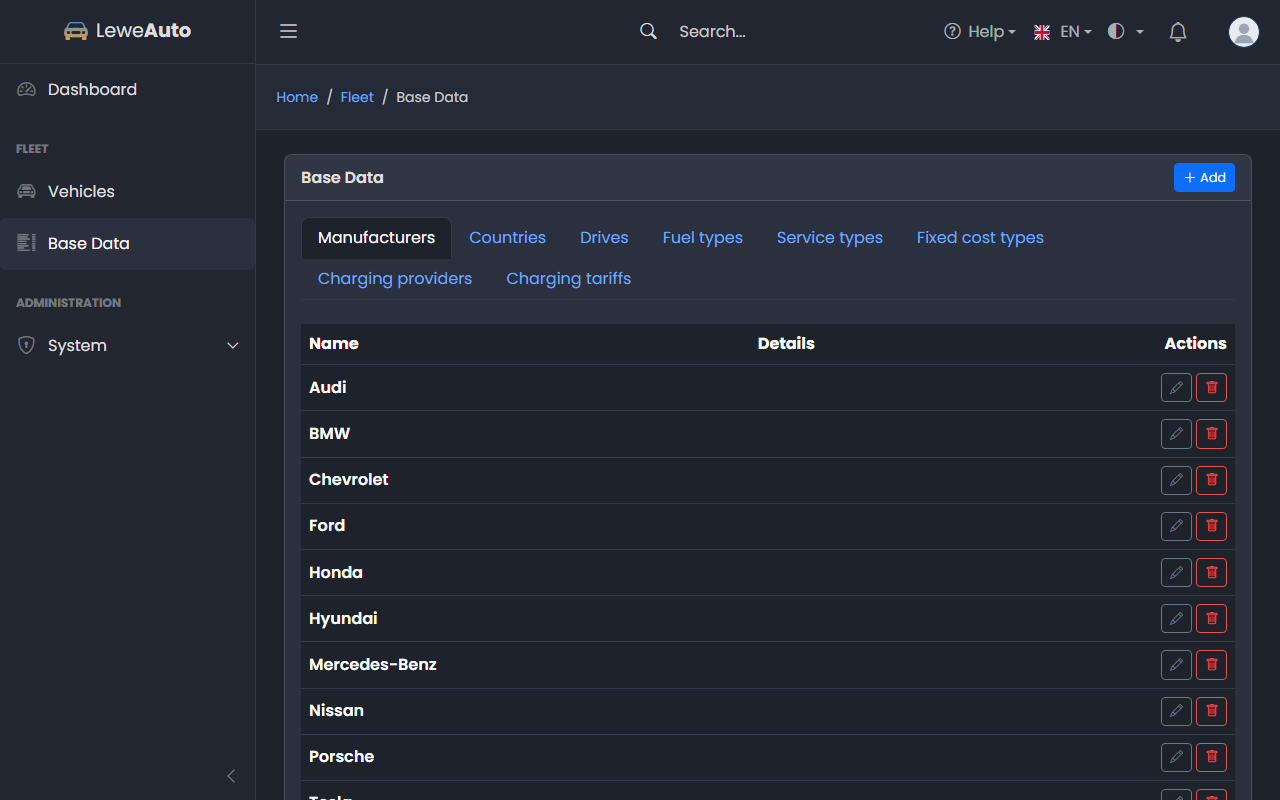
Tabs
| Tab | Used for |
|---|---|
| Manufacturers | Vehicle manufacturer and logo |
| Countries | Country of registration and provider country |
| Drives | Drive type such as front, rear or all-wheel |
| Fuel Types | Fuel and energy classification, including EV and PHEV |
| Service Types | Type of a service event |
| Fixed Cost Types | Category of a fixed cost such as insurance or tax |
| Charging Providers | Charge point operator, utility, EMP or OEM |
| Charging Tariffs | Prices and fees of a provider's tariff |
Add, edit and delete
Click Add to create an entry in the active tab. The dialog shows only the fields that apply to that tab. Every entry has a name; many have a description or additional details.
Deleting is only possible when the entry is not in use. If a vehicle or event still references it, LeweAuto refuses the deletion and asks you to reassign the record first. This protects the history of your fleet.
Create the base data before vehicles and events. The selection fields are populated from these tables, and a missing entry cannot be added from the vehicle form.
Limited license mode
In the limited license mode each table may hold at most 5 entries and no new entries can be added beyond that. Existing entries can still be edited and deleted. See License.
The connector types used for electric vehicles (Type 2, CCS2, CHAdeMO and others) ship with the installation and are selected in the vehicle form. They are not edited through the Base Data page.