Service Events
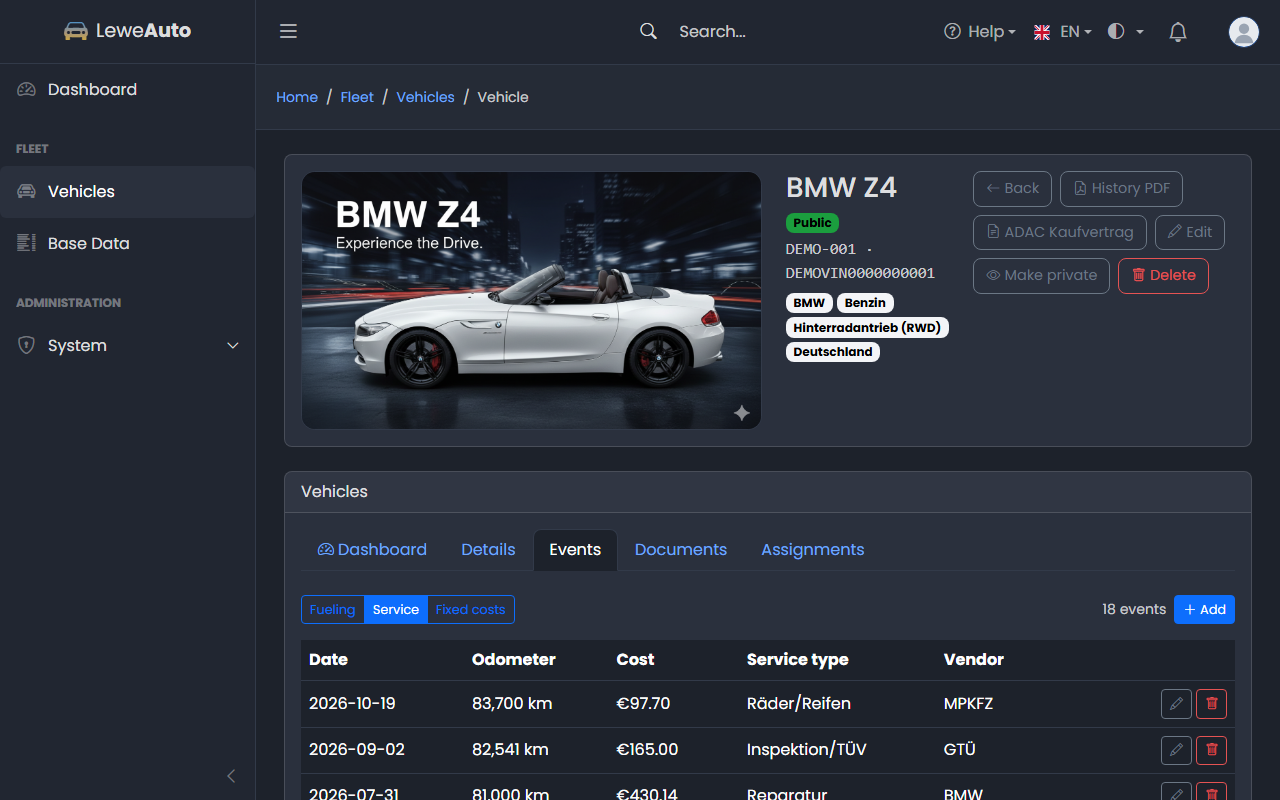
Record inspections, repairs and battery checks on the Events → Service tab.
Fields
| Field | Rule |
|---|---|
| Date | Required; date of the service |
| Odometer | Required; reading at the workshop |
| Cost | Required; invoice amount |
| Service type | From the service types base data |
| Vendor | Workshop or supplier, at most 255 characters |
| Battery state of health | Optional, 0-100 %; adding it creates a point on the battery health chart |
| Usable battery capacity | Optional, kWh; recorded with the battery check |
| Description | What was done, at most 4000 characters |
| Notes | Optional internal notes, at most 4000 characters |
Table
| Column | Meaning |
|---|---|
| Date | Service date |
| Odometer | Reading in your distance unit |
| Cost | Invoice amount |
| Service type | Type, with · SoH 92% when a battery reading was recorded |
| Vendor | Workshop |
Battery readings
Service events are the source of the Battery health chart on the vehicle dashboard. Each service event with a state-of-health value becomes a point. Add a reading after a workshop battery test to see the degradation over time. The latest reading also helps when you sell the vehicle.
Use a dedicated Battery check service type and keep the description short, for example Annual battery test at 80,000 km. The history PDF lists the service events with their type and vendor.
Ownership
Users without assign_vehicle can edit and delete only service events they created on assigned vehicles. Agents and administrators manage all service events. Every change is audited.