Dark Mode
LeweAuto has a light and a dark appearance based on Bootstrap 5.3 color modes.
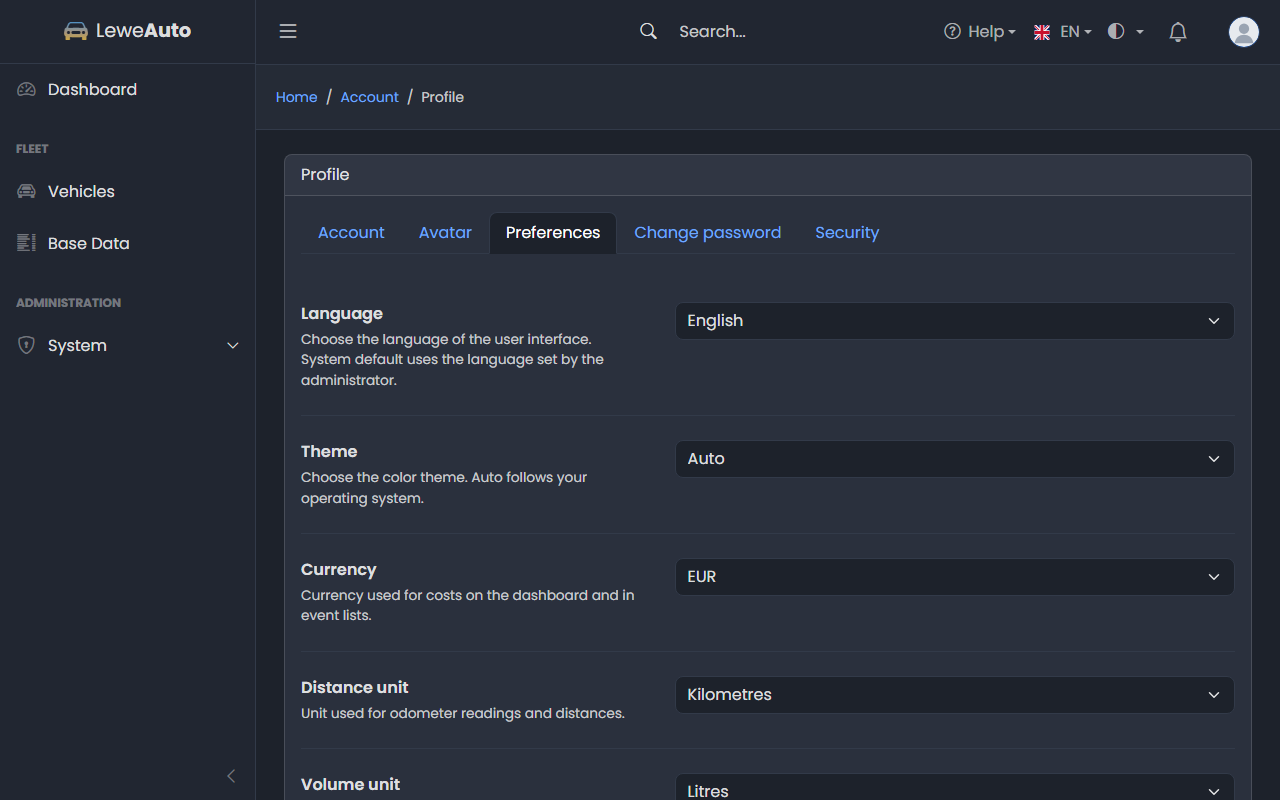
Switch the theme
Use the half-circle icon in the top bar and choose:
- Light - always light
- Dark - always dark
- Auto - follow the operating system
The choice applies immediately and is stored in the browser. It does not change any data and does not need a page reload.
The same options are available in Profile → Preferences → Theme. The header switch and the profile setting share the same browser storage.
What changes
- Background, text, cards, tables and form controls use the theme's colors.
- Charts use their own color palettes; the chart area follows the page background.
- The login and public pages use the same theme.
- The theme is a display preference, not a security setting.
Auto follows the operating system setting and reacts to a change of the system theme on the next page load. If the page still looks light after a change, reload it.
For presentations and screenshots, Dark gives a consistent look. For printing, use the history PDF, which always uses a light print layout.