LeweAuto User Manual
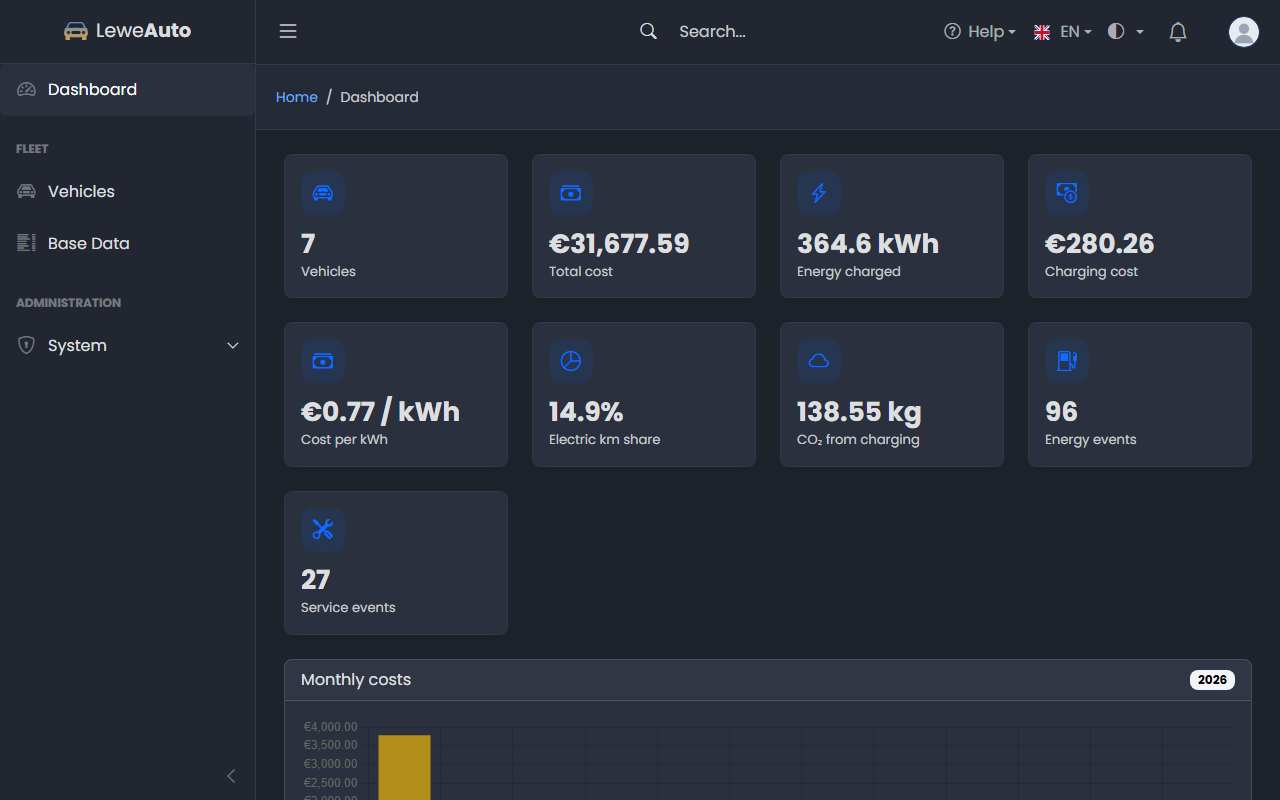
LeweAuto keeps vehicle master data, assignments and public visibility in one place. Drivers and fleet users record fueling, charging, service and fixed-cost events. Agents manage vehicles and reference data. Administrators manage accounts, roles, groups, settings and the license.
Features
- Vehicle records with manufacturer, model, plate, VIN, body, color, drive, fuel type, dates, prices and notes
- Electric vehicles with battery capacity, state of health, range, consumption, charging power, connectors and equipment
- Fueling and charging events with consumption, price, station, provider, tariff, state of charge, charging losses and temperature
- Service events with workshop, cost and optional battery health readings
- Fixed costs for insurance, taxes, leasing, wallboxes and other recurring or one-off costs, including income such as a THG premium
- Vehicle dashboards with cost, consumption, charging and battery-health charts for the current year and all time
- Fleet dashboard with annual cost, energy, electric distance share and CO₂ estimates
- Documents attached to a vehicle, such as invoices, reports and photos
- Vehicle history PDF and an ADAC purchase contract prefilled with the vehicle data
- Access control with roles, groups, granular permissions, assignments and public visibility
- Local, LDAP and OIDC login with TOTP two-factor authentication
- Audit log, notification email and four interface languages (English, German, Spanish and French)
- Dark and light mode, configurable units and an optional license-managed trial
Who is this manual for?
| You are... | Start here |
|---|---|
| A driver or fleet user | Quick Start Guide and User Guide |
| A fleet agent | Vehicles and Base Data |
| An administrator | Administration and License |
What you can see and do depends on your role and the permissions granted to it. If a menu entry or button described in this manual is missing for you, ask your administrator.
Where to find things
- Dashboard - annual fleet statistics and monthly costs
- Vehicles - search the fleet, open a vehicle and record events
- Base Data - manufacturers, countries, drives, fuel types, service types, fixed-cost types, charging providers and tariffs
- Administration - users, groups, roles, permissions, settings and the audit log
- Profile - your account, avatar, language, theme, units and security
The interface uses relative links and works both at a domain root and in a sub-folder. The language, theme and units can be set per user; everything else is managed by an administrator.