User Guide
This guide covers everyday work with LeweAuto: signing in, reviewing the fleet, working with a vehicle and recording events.
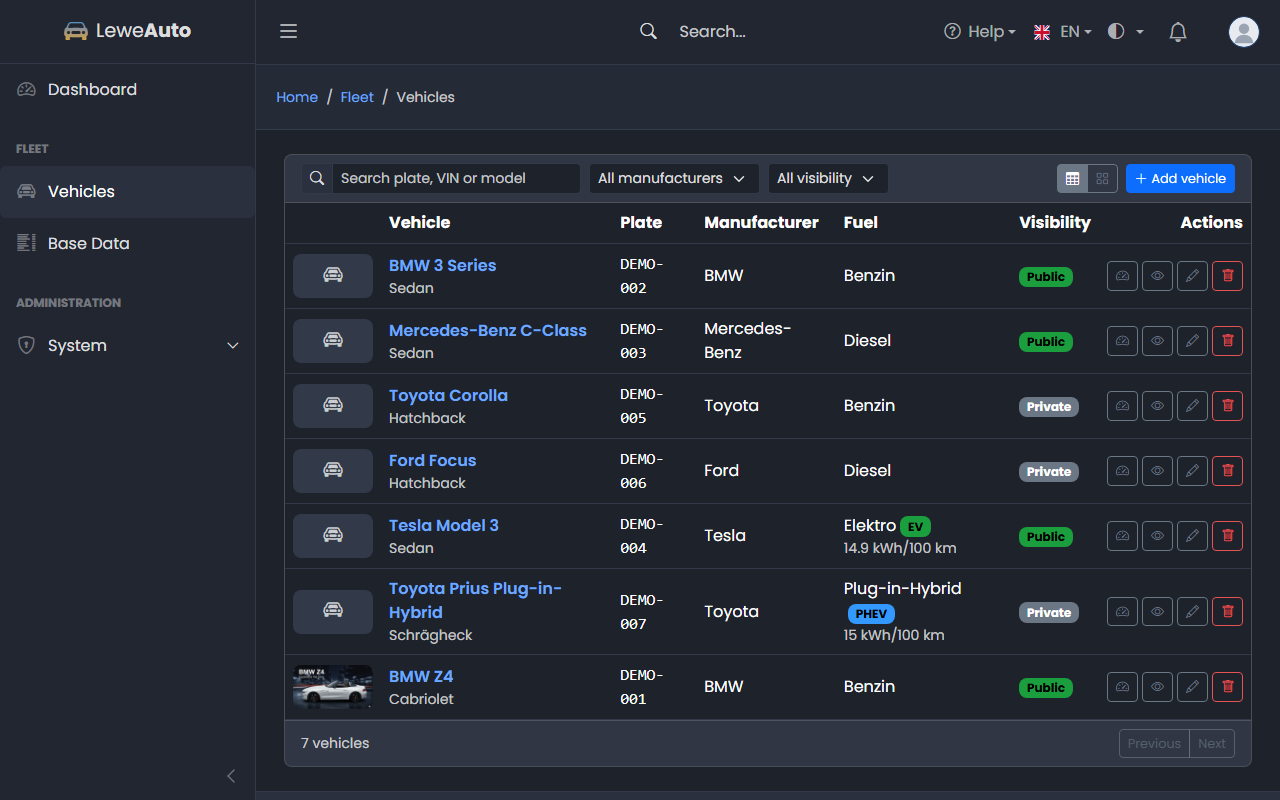
What you can see
A user with the standard User role can:
- view public vehicles and vehicles assigned to them or their groups
- record fueling, charging, service and fixed-cost events on assigned vehicles
- edit and delete their own events on assigned vehicles
- open the fleet dashboard
Users with assign_vehicle (typically the Agent role or higher) see and manage all vehicles and all events. Administrators also manage users, settings, base data and the license.
Pages
| Page | Purpose |
|---|---|
| Login and Registration | Sign in, reset a password, create an account |
| Two Factor Authentication | Protect the account with a TOTP code |
| Dashboard | Annual fleet statistics and monthly costs |
| Vehicles | Search the fleet and open a vehicle |
| Profile | Account, avatar, preferences, password and security |
| Dark Mode | Light and dark appearance |
| Language | Interface language |
| Email Notifications | Which messages LeweAuto sends |
| About and Releases | Version and release information |
Navigation
The sidebar groups the application into Fleet and Administration. The top bar has a global search, help, the language switch, the theme switch and your avatar menu.
| Item | Takes you to |
|---|---|
| Dashboard | Fleet statistics and monthly costs |
| Vehicles | Vehicle list |
| Base Data | Reference lists (requires manage_lookups) |
| System | Users, groups, roles, permissions, settings and audit log (administrators) |
| Profile | Account, avatar, preferences, password and two-factor setup |
| About | Version, credits and release information |
Visibility and assignments
Vehicles are public or private:
- Public vehicles are visible to every signed-in user.
- Private vehicles are visible only to assigned users and groups.
- Assigned users see a vehicle even when it is private.
- Only users with
assign_vehiclecan change assignments; only users withpublish_vehiclecan change the public flag.
Seeing a vehicle and working on it are different things. A public vehicle that is not assigned can be viewed, but events can only be created on assigned vehicles.
If a vehicle or menu entry is missing, you may not have the permission or the vehicle may not be assigned to you. Ask your administrator rather than using another account.
Events and ownership
The Events tab has one sub-tab per event type: Fueling, Charging, Service and Fixed costs. The charging tab only appears for electric and plug-in hybrid vehicles.
Users without assign_vehicle can edit and delete only their own events on assigned vehicles. Agents and administrators can manage all events on all visible vehicles. Each event records who created it, and the audit log records every change.
Record the odometer with every event. LeweAuto uses consecutive odometer readings to calculate distance and consumption between events, which feeds the vehicle dashboard.