Roles
Administration → System → Roles defines what kinds of users can do. A role is a named bundle of permissions; users receive one or more roles.
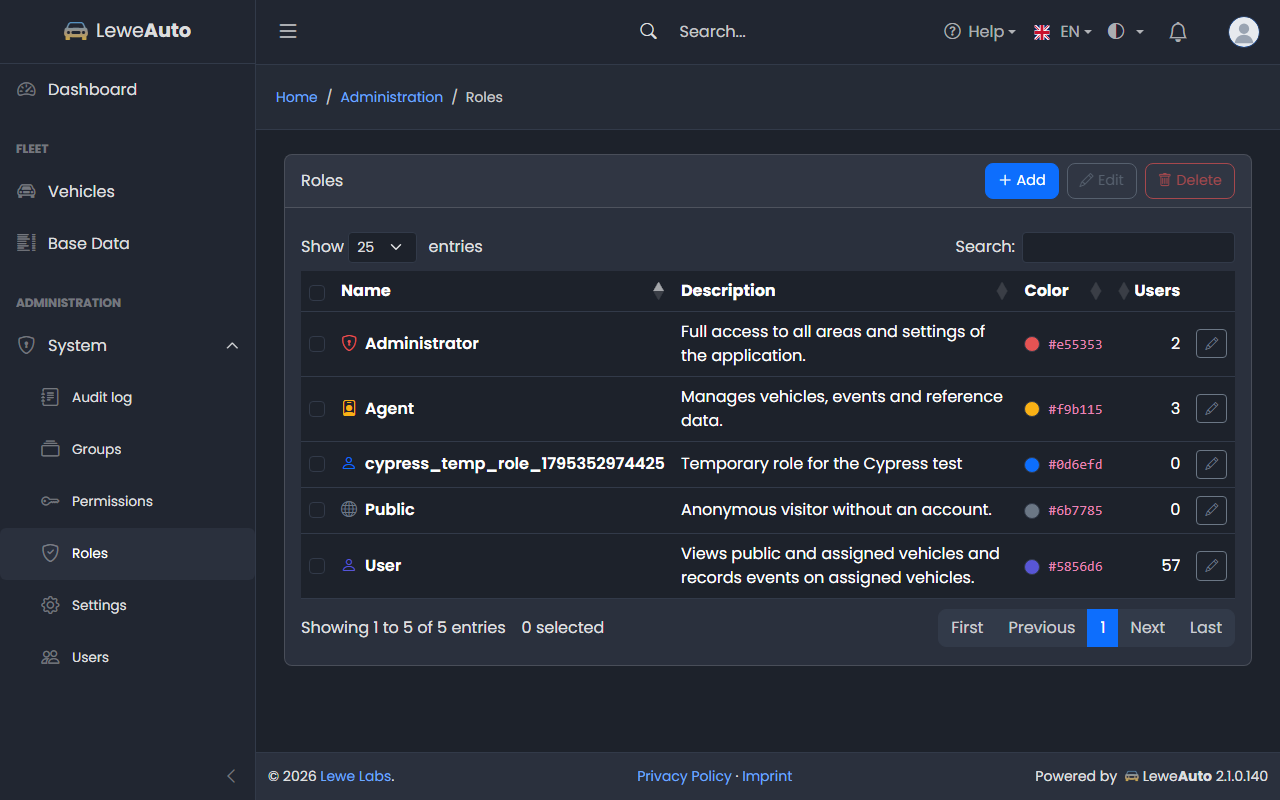
Built-in roles
| Role | Purpose |
|---|---|
| Administrator | Full access to every area. Automatically holds every permission, including new ones. |
| Agent | Manages vehicles, events and base data; no users, settings or license. |
| User | Views public and assigned vehicles and records events on assigned vehicles. |
| Public | Anonymous visitor without an account. Holds no permissions in the standard installation. |
Built-in roles cannot be renamed or deleted. Their permissions can be adjusted, except that the Administrator role always keeps every permission.
Create a role
- Click Add role
- Enter a unique name (at most 50 characters) and an optional description
- Pick a color and an optional Bootstrap Icons class such as
bi-person-badge - Select the permissions the role should grant
- Save
The role appears in the user form immediately. Users who already have the role receive the changed permissions on their next request.
Edit and delete
Use the row actions to edit a role. The permission checkboxes show every permission in the installation. The Administrator role lists them as fixed.
A role can only be deleted when no user holds it. Built-in roles cannot be deleted at all. Deleting a custom role removes its permission links; the users themselves are kept.
Prefer small, purpose-built roles over one large role. For example, create a Fleet manager role with vehicle, event and base-data permissions instead of granting the Agent role to everyone.
Removing a permission takes effect immediately and can lock people out of pages they are using. Check the Permissions page before you change a widely used role.