Documents
The Documents tab attaches files to a vehicle: invoices, service reports, battery certificates, photos, insurance documents or a purchase contract.
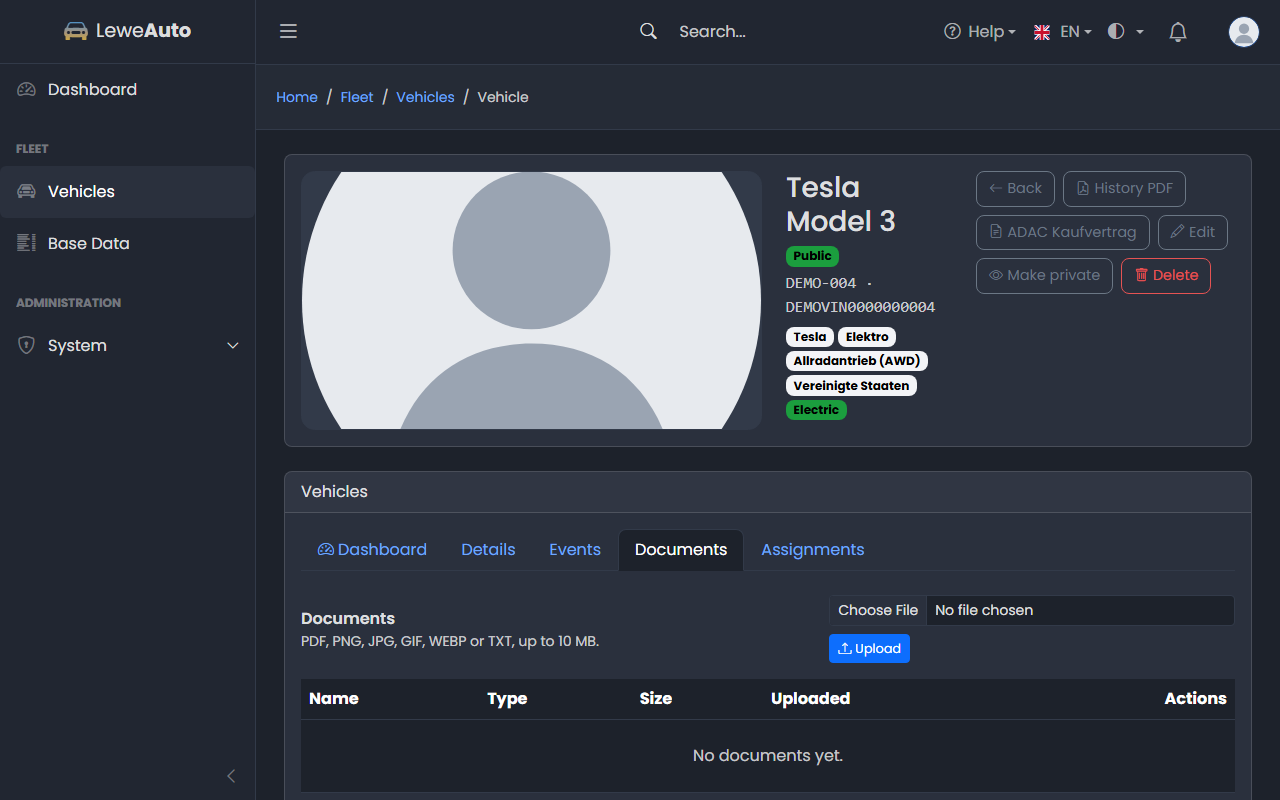
Upload a document
- Open the vehicle and go to Documents
- Click Choose file and select a file
- Click Upload
Allowed types are PDF, PNG, JPG, GIF, WEBP and TXT, up to 10 MB. The type is detected from the file content, not from the file extension. A file that is not one of these types is rejected.
Uploading requires edit_vehicle. The file is stored under a random name and served through the API after a visibility check; it is never linked directly from the web root.
Document list
| Column | Content |
|---|---|
| Name | Original file name |
| Type | MIME type |
| Size | File size |
| Uploaded | Date of upload |
| Actions | Open (inline) and delete |
Clicking the name opens the document in a new tab when the browser supports the type. PDFs open in the browser's viewer; text files are shown as text.
Delete a document
The trash button asks for confirmation and removes the database record and the stored file. Deleting requires edit_vehicle. The deletion is written to the audit log.
Limits and license
- Uploads require a valid license. In limited mode the upload controls are disabled and a warning explains why. Existing documents remain readable.
- A vehicle can hold any number of documents; the limit is the storage space of the server.
- Deleting a vehicle deletes its documents.
- Documents are visible to everyone who may see the vehicle, including users who only have the public record.
Documents may contain personal data, invoices or addresses. Upload only what is needed for the vehicle history and remove documents that are no longer required.