Fueling Events
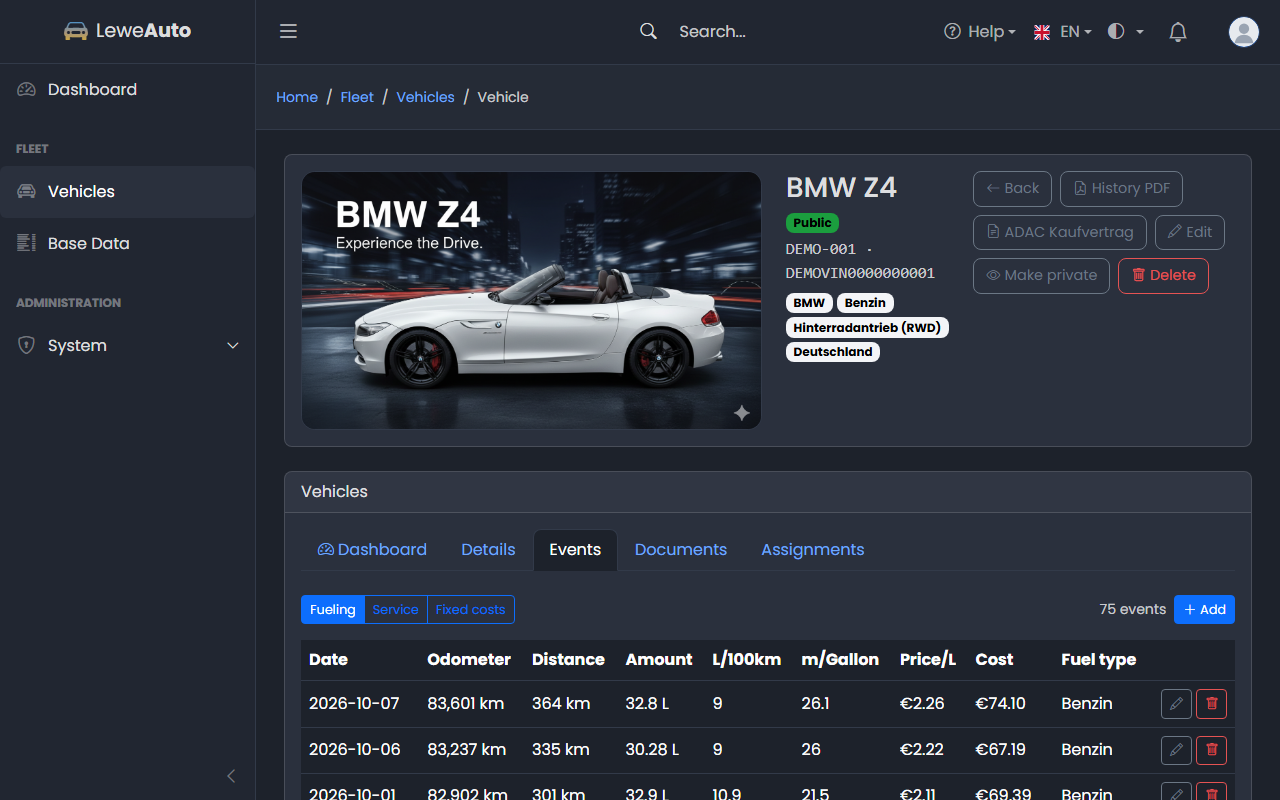
Record fuel purchases and other energy fill-ups on the Events → Fueling tab. For electric vehicles the same tab shows charging events; see Charging Events.
Fields
| Field | Rule |
|---|---|
| Date | Required; date of the fueling |
| Odometer | Required; reading at the station |
| Amount | Required for fuel; litres or gallons, greater than zero |
| Cost | Required; total amount paid |
| Fuel type | From base data; for a PHEV choose a concrete fuel or electricity entry |
| Station | Optional; at most 255 characters |
| Notes | Optional; at most 4000 characters |
For a plug-in hybrid, the vehicle's own fuel type has the energy kind Both and cannot be used for an event. Choose Petrol, Diesel or an Electricity entry so LeweAuto knows whether the record is a fuel fill-up or a charging session. The correct event fields appear after the selection.
Table
| Column | Meaning |
|---|---|
| Date | Event date |
| Odometer | Reading in your distance unit |
| Distance | Distance since the previous event of the same vehicle |
| Amount | Fuel volume |
| L/100km | Consumption since the previous fuel event |
| m/Gallon | Consumption in miles per gallon |
| Price/L | Cost per litre or gallon |
| Cost | Total cost |
| Fuel type | Selected fuel |
Consumption is calculated only when the previous odometer reading is lower than the current one. The first event therefore has no distance and no consumption.
Rules and limits
- Cost and odometer must not be negative; the amount must be greater than zero.
- A user without
assign_vehiclecan create events only on assigned vehicles and can edit or delete only their own events. - Each user may create at most 120 events per hour across all event types.
- Every change is written to the audit log.
Record the odometer at every fill-up. Without consecutive readings, the distance and consumption columns and the dashboard consumption lines stay empty.