Products
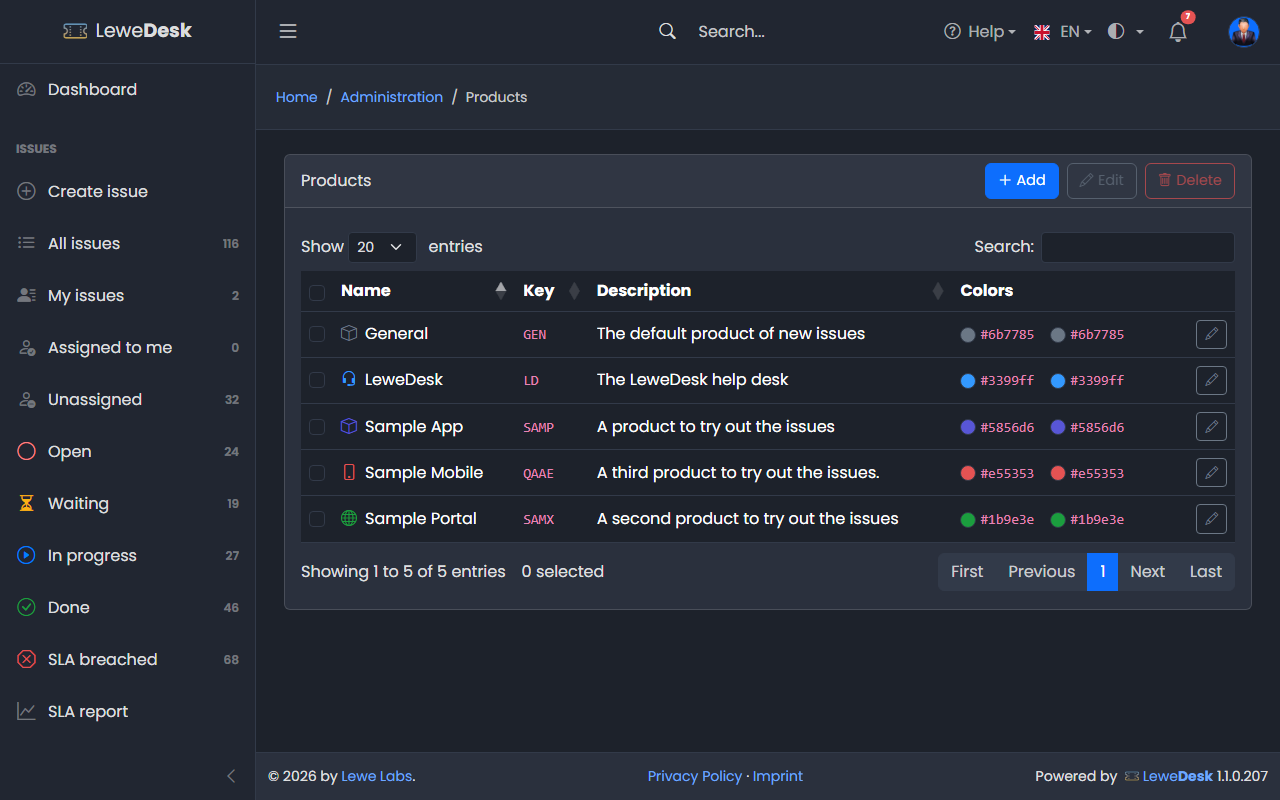
Products are the things your customers need support for. Every issue belongs to exactly one product. The key of the product is the prefix of the issue keys: an issue of the product with the key LD is LD-123, and every product counts its own numbers. A product also has versions, and an issue can name the version it occurs in and the version that fixes it.
The issue list can be filtered by product, and the dashboard shows the number of issues per product. Requires the permission manage_products.
Buttons
| Button | Function |
|---|---|
| Add | Opens the form to create a new product |
| Edit | Opens the Edit page for the selected product |
| Delete | Deletes the selected products. If issues use them, LeweDesk asks which product these issues move to (see below). |
Add and Edit Product
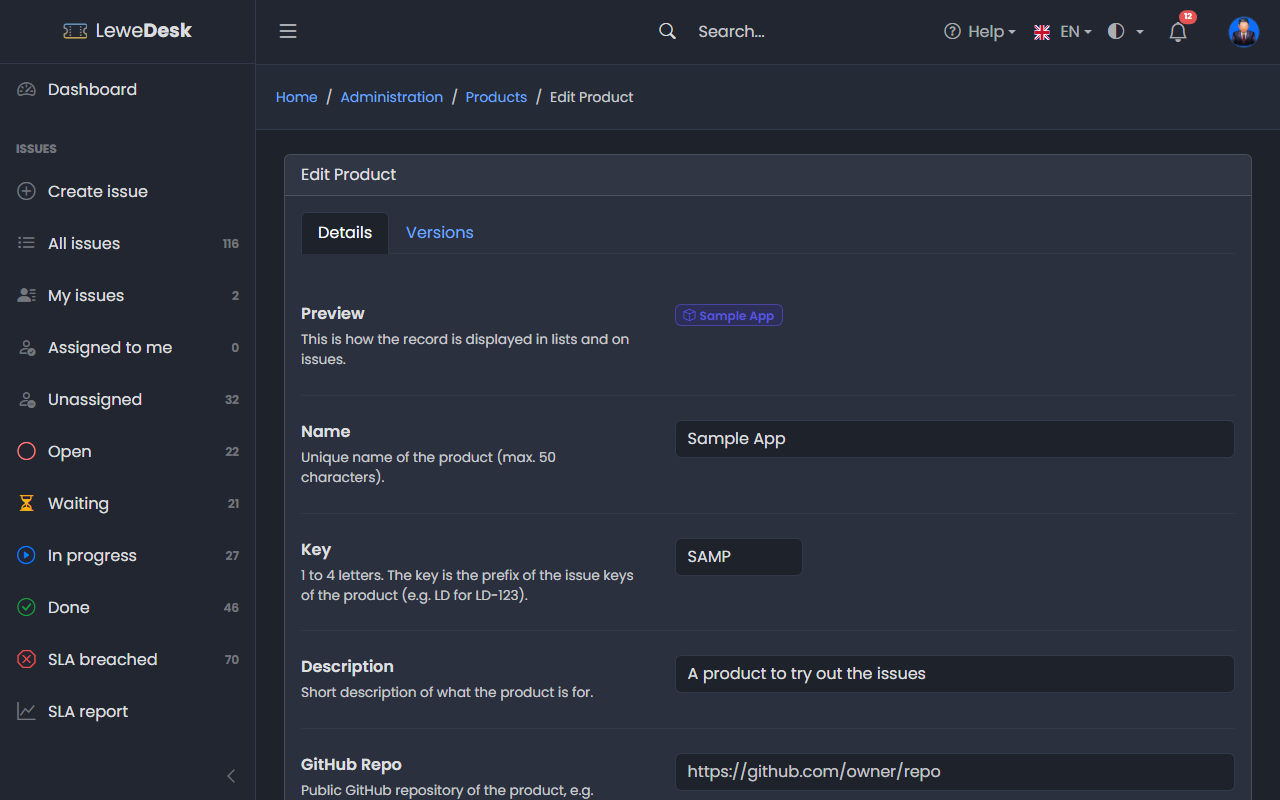
| Field | Description |
|---|---|
| Name | Unique name of the product (max. 50 characters) |
| Key | 1 to 4 letters (A-Z), unique. It is the prefix of the issue keys, e.g. LD for LD-123. Shown in upper case. |
| Description | Short description of the product |
| Icon | Bootstrap Icons class, e.g. bi-box |
| Color | Color of the icon and the text |
| Background color | Background color |
| GitHub Repo | Optional. The public GitHub repository of the product, e.g. https://github.com/owner/repo or owner/repo. The issue page lists its commits that mention the issue key (see Issue Detail). LeweDesk checks when you save that the repository exists. Private repositories and other hosts than github.com are not supported. |
The Edit page has two tabs: Details (the fields above) and Versions (see below).
Change the key
You can change the key of a product at any time. All issues of the product then show the new key. The old keys keep working: links, bookmarks and mails that use LD-123 still lead to the issue. A key that another product uses, or that an old key of another issue uses, cannot be chosen. LeweDesk warns you before you save a changed key.
Default product
The setting Default Product (Settings, tab Issue Config) names the product of new issues that name none, for example the issues made from mails (see Email to Ticket). Installations start with the product General (GEN). The default product cannot be deleted without choosing another default product.
Delete a product that issues use
A product that issues still use cannot simply disappear, because every issue needs a product. LeweDesk asks you to select a replacement product:
- All issues of the deleted product move to the replacement and get new keys there (the next numbers of the replacement). Their old keys keep working.
- Their affected and fixed versions are cleared, because versions belong to a product. The versions of the deleted product are deleted with it.
- If the deleted product is the default product, the replacement becomes the default product.
Versions
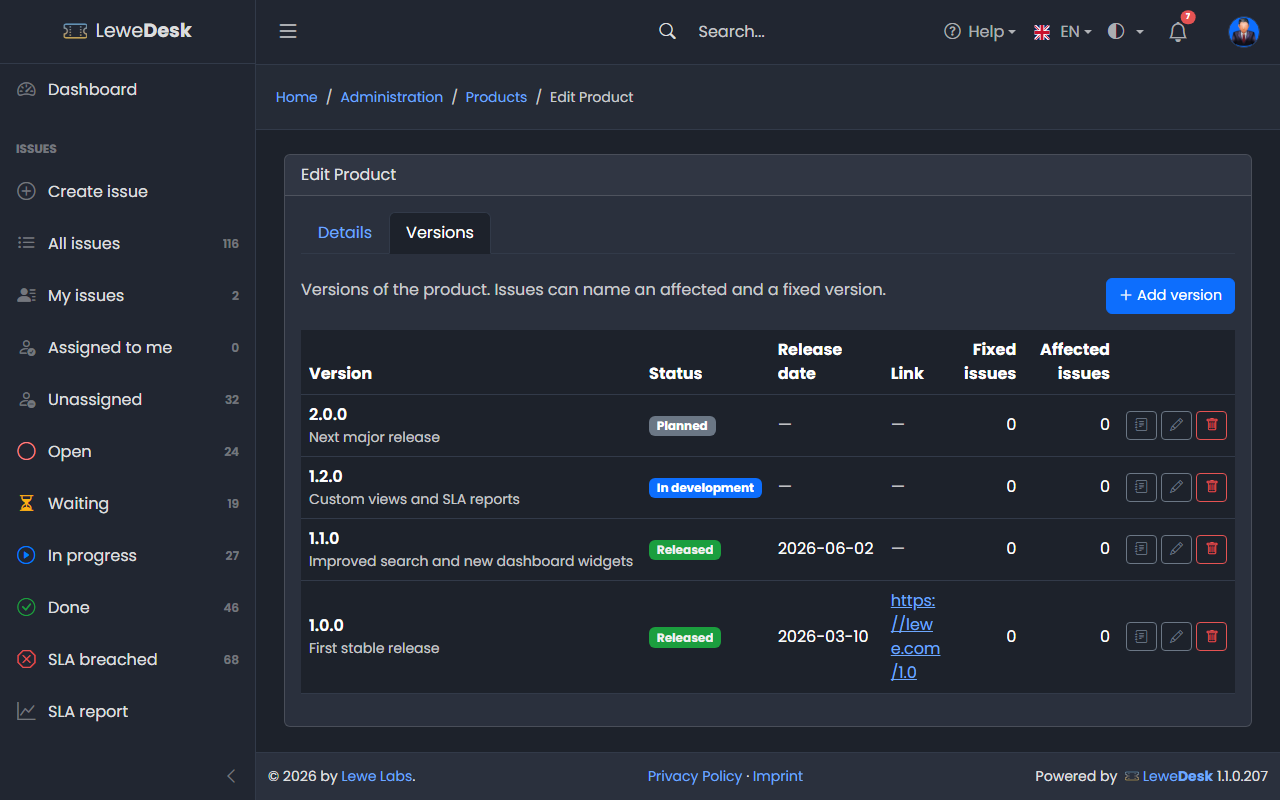
The Versions tab of a product lists its versions, the newest first (natural order: 1.10 comes after 1.9). Click Add version or the edit icon of a version. Requires the permission manage_products to change, and view_issue to read.
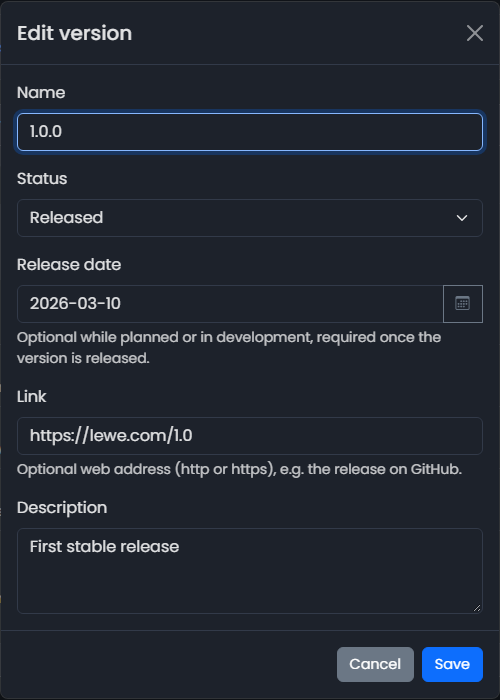
| Field | Description |
|---|---|
| Name | The version, e.g. 1.2.3. Unique within the product (max. 50 characters). |
| Status | Planned, In development, Released or Archived |
| Release date | Optional while Planned or In development. Required once the version is Released. |
| Link | Optional web address (http or https), e.g. the release on GitHub |
| Description | Optional text. It is shown in the release notes. |
The list shows how many issues have the version as affected version and as fixed version, and a link to the release notes of the version.
When someone creates or edits an issue, the pickers for the affected version and the fixed version offer the versions of the issue's product, grouped by Planned, In development and Released. Archived versions are not offered for new choices, but they stay visible on the issues that already use them. Use Archived for old versions that nobody should select any more.
Delete a version
If no issue uses the version, it is deleted at once. If issues use it, LeweDesk asks which version these issues get instead, or None to clear the field. The affected and the fixed version of the issues are replaced.
The history of an issue records every change of its product, key and versions, and the audit log records the creation, change and deletion of versions.