Roles
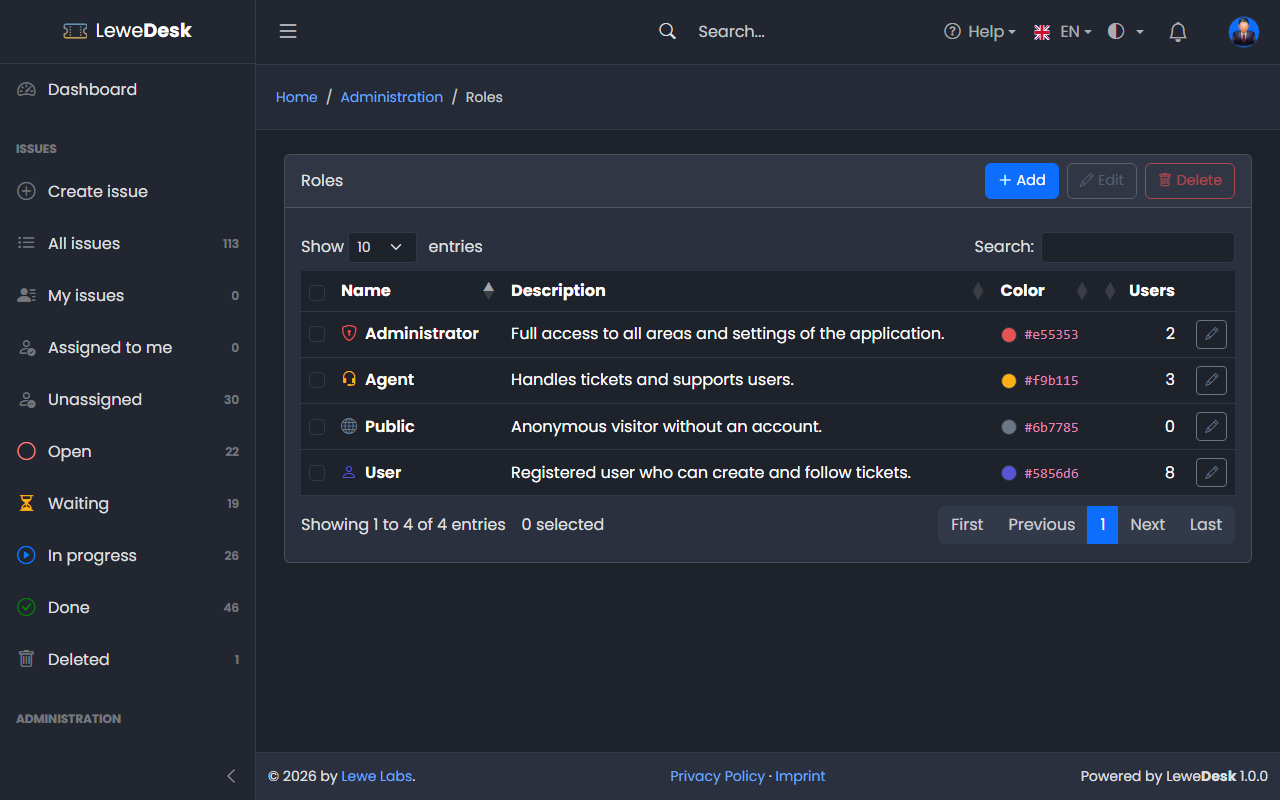
Roles bundle permissions. Users get one or more roles (see Users).
Default roles
| Role | Purpose |
|---|---|
| Administrator | Full access to all areas and settings of the application |
| Agent | Handles issues and supports users. Only Agents can be assigned to issues. |
| User | Registered user who can create and follow issues |
| Public | Anonymous visitor without an account |
The default roles are system entries: they can be neither deleted nor renamed. The role Public decides what visitors who are not logged in may do. Every real user account holds at least the role User.
Buttons
| Button | Function |
|---|---|
| Add | Opens the form to create a new role |
| Edit | Opens the Edit page for the selected role |
| Delete | Deletes the selected roles after a confirmation |
Add and Edit Role

| Field | Description |
|---|---|
| Name | Unique name of the role (max. 50 characters) |
| Description | Short description of what the role is for |
| Color | Color used to display the role |
| Icon | Bootstrap Icons class, e.g. bi-person. Leave empty for no icon. |
The permissions of a role are assigned on the Permissions page.