Status
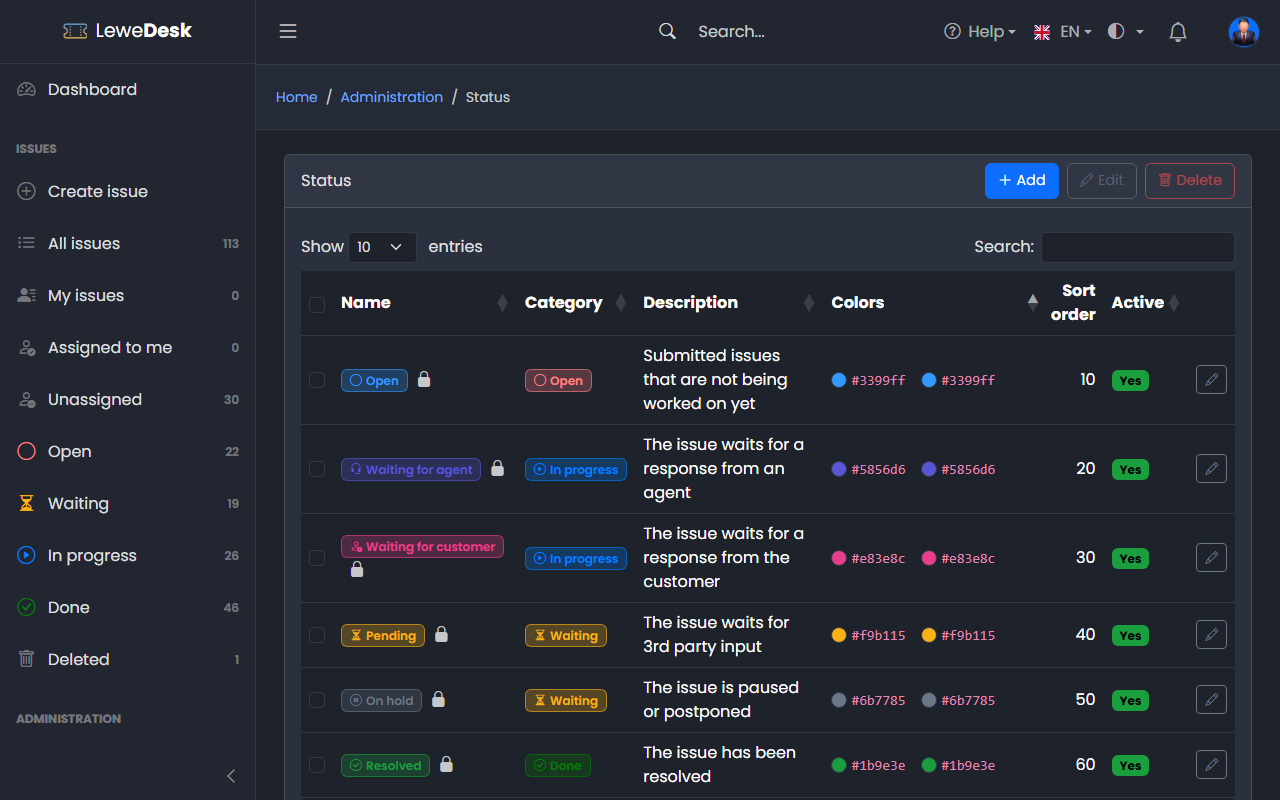
The status tells where an issue is in its life. Each status belongs to a status category. Requires the permission manage_status.
The list rows of the issue list get the background color of the issue's status (users can turn this off in their profile).
System status
| Name | Category | Description |
|---|---|---|
| Open | Open | Submitted issues that are not being worked on yet |
| Waiting for agent | In progress | The issue waits for a response from an agent |
| Waiting for customer | In progress | The issue waits for a response from the customer |
| Pending | Waiting | The issue waits for 3rd party input |
| On hold | Waiting | The issue is paused or postponed |
| Resolved | Done | The issue has been resolved |
| Closed | Done | The resolution of the issue has been accepted |
The issue actions set Open, Waiting for agent, Waiting for customer, Resolved and Closed (for example, Respond switches between Waiting for agent and Waiting for customer). Pending and On hold are set by agents on the Edit Issue page. You can add more status. There is no fixed workflow: an agent can set any status.
Buttons
| Button | Function |
|---|---|
| Add | Opens the form to create a new status |
| Edit | Opens the Edit page for the selected status |
| Delete | Deletes the selected status. System status cannot be deleted. If issues use it, you select a replacement. |
Add and Edit Status
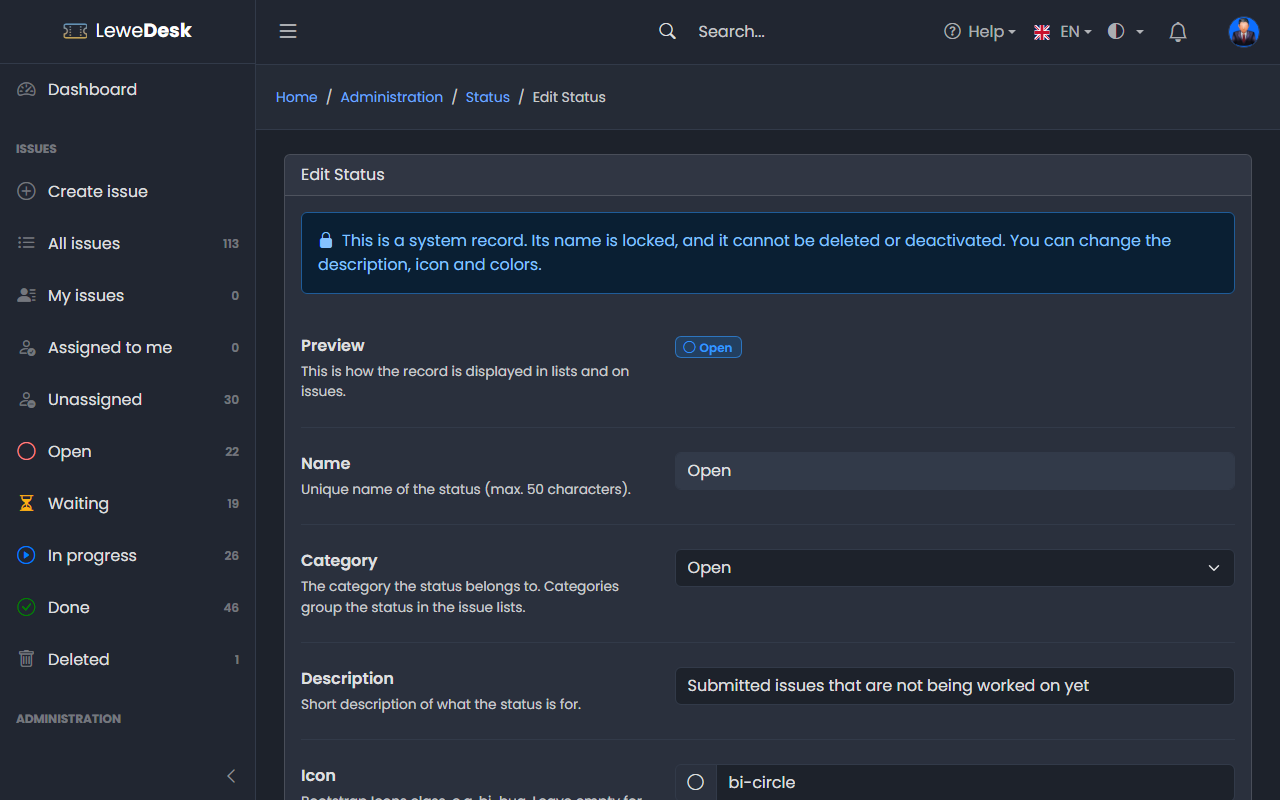
In addition to the common fields you select the Category of the status.
A status of the category Done needs a resolution on the issue.