Permissions
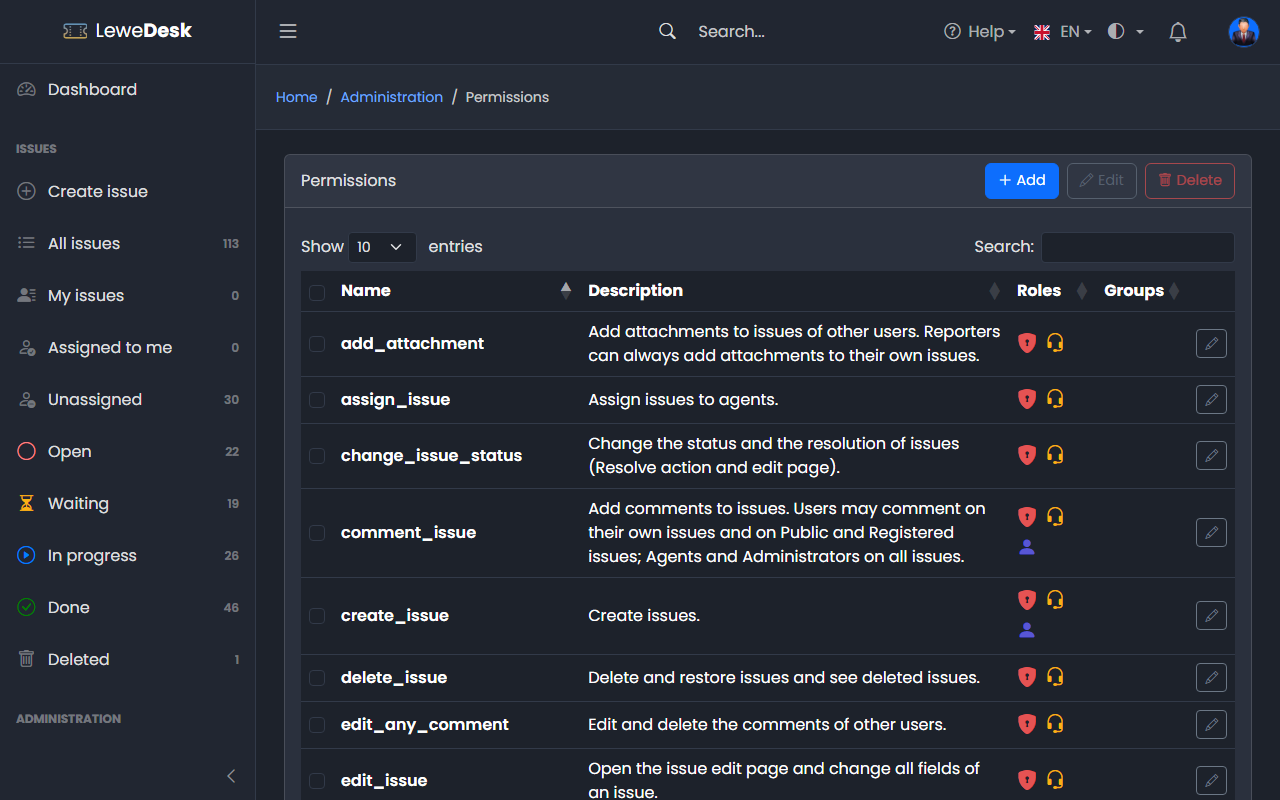
A permission allows one specific thing. Each permission is granted to roles and/or groups. Administrators bypass all permission checks.
| Button |
Function |
| Add |
Opens the form to create a new permission |
| Edit |
Opens the Edit page for the selected permission |
| Delete |
Deletes the selected permissions after a confirmation |
Edit Permission
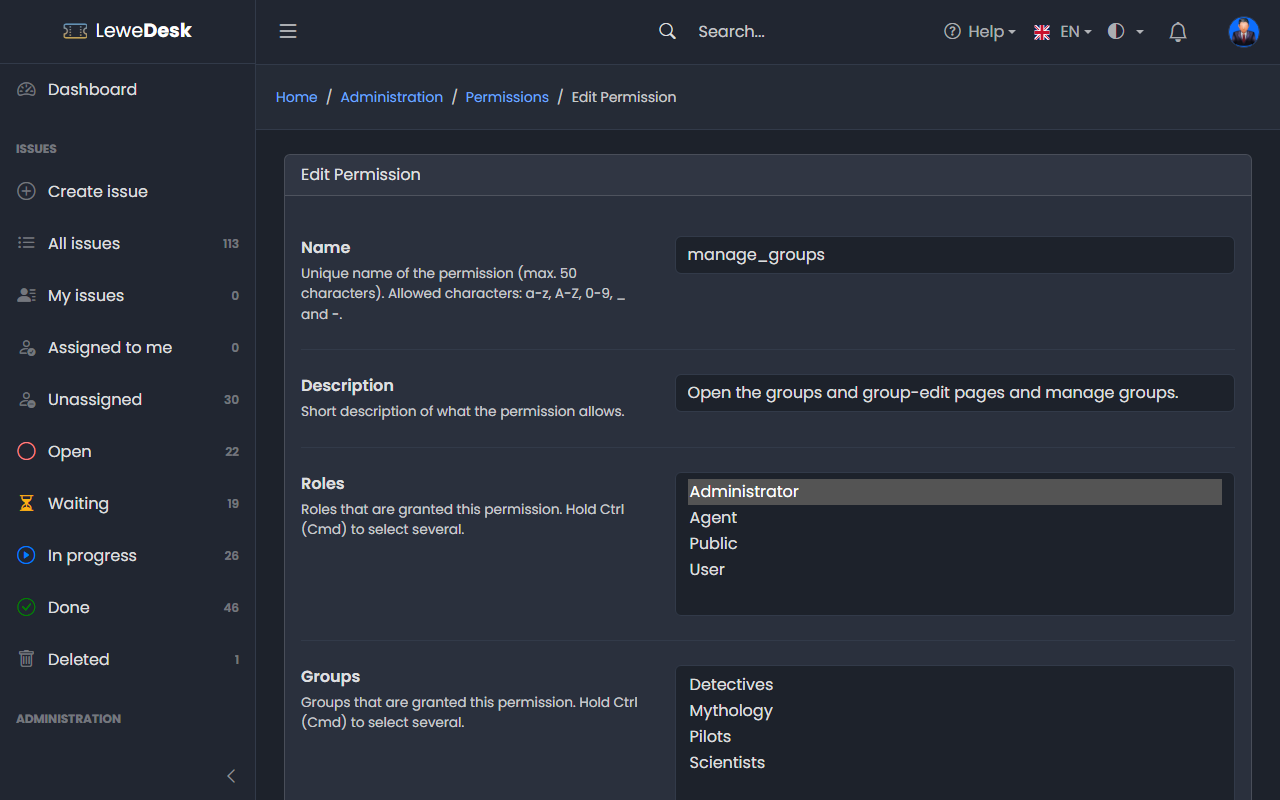
| Field |
Description |
| Name |
Unique name (max. 50 characters). Allowed characters: a-z, A-Z, 0-9, _ and - |
| Description |
Short description of what the permission allows |
| Roles |
Roles that are granted this permission. Hold Ctrl (Cmd) to select several. |
| Groups |
Groups that are granted this permission. Hold Ctrl (Cmd) to select several. |
Default permissions
Issues
| Permission |
Default roles |
Allows |
view_issue |
Public, User, Agent, Administrator |
See issues, comments and attachments within the scope of the issue access (see below) |
view_all_issues |
Agent, Administrator |
See all issues regardless of their access, including Reporter only issues of other users |
create_issue |
User, Agent, Administrator |
Create issues |
comment_issue |
User, Agent, Administrator |
Comment. Users: own, Public and Registered issues. Agents: all issues. |
view_internal_comments |
Agent, Administrator |
See internal comments and their attachments |
edit_any_comment |
Agent, Administrator |
Edit and delete comments of other users |
edit_issue |
Agent, Administrator |
Open the Edit page and change all fields |
assign_issue |
Agent, Administrator |
Assign issues to Agents |
change_issue_status |
Agent, Administrator |
Change status and resolution (Resolve action and Edit page) |
delete_issue |
Agent, Administrator |
Delete and restore issues, see the Deleted view |
add_attachment |
Agent, Administrator |
Add attachments to issues of other users. Reporters can always add to their own issues. |
Administration
| Permission |
Default roles |
Allows |
manage_users |
Administrator |
Manage users |
manage_roles |
Administrator |
Manage roles |
manage_groups |
Administrator |
Manage groups |
manage_permissions |
Administrator |
Manage permissions |
manage_settings |
Administrator |
Change the system settings |
view_audit_log |
Administrator |
Open and export the Audit Log. The Administrator role is required as well. |
manage_issue_types |
Administrator |
Manage issue types |
manage_status |
Administrator |
Manage status |
manage_status_categories |
Administrator |
Edit the status categories |
manage_resolutions |
Administrator |
Manage resolutions |
manage_priorities |
Administrator |
Manage priorities |
manage_products |
Administrator |
Manage products |
manage_tags |
Administrator |
Edit and delete tags |
manage_custom_views |
Administrator |
Open the Custom Views page and edit or delete the custom views of all users. Users manage their own views without a permission. |
Who can see an issue?
Every issue has an Access value. Together with view_issue and view_all_issues it decides who sees the issue:
| Access |
Visitor (not logged in) |
Logged in user |
Reporter |
Agent / Administrator |
| Public |
sees |
sees |
sees |
sees |
| Registered |
no |
sees |
sees |
sees |
| Reporter only |
no |
no |
sees |
sees |
If you want to keep all issues private, take view_issue away from the role Public.
Rate limits for issues and comments do not apply to Agents and Administrators. See Settings.
Last updated: