Resolutions
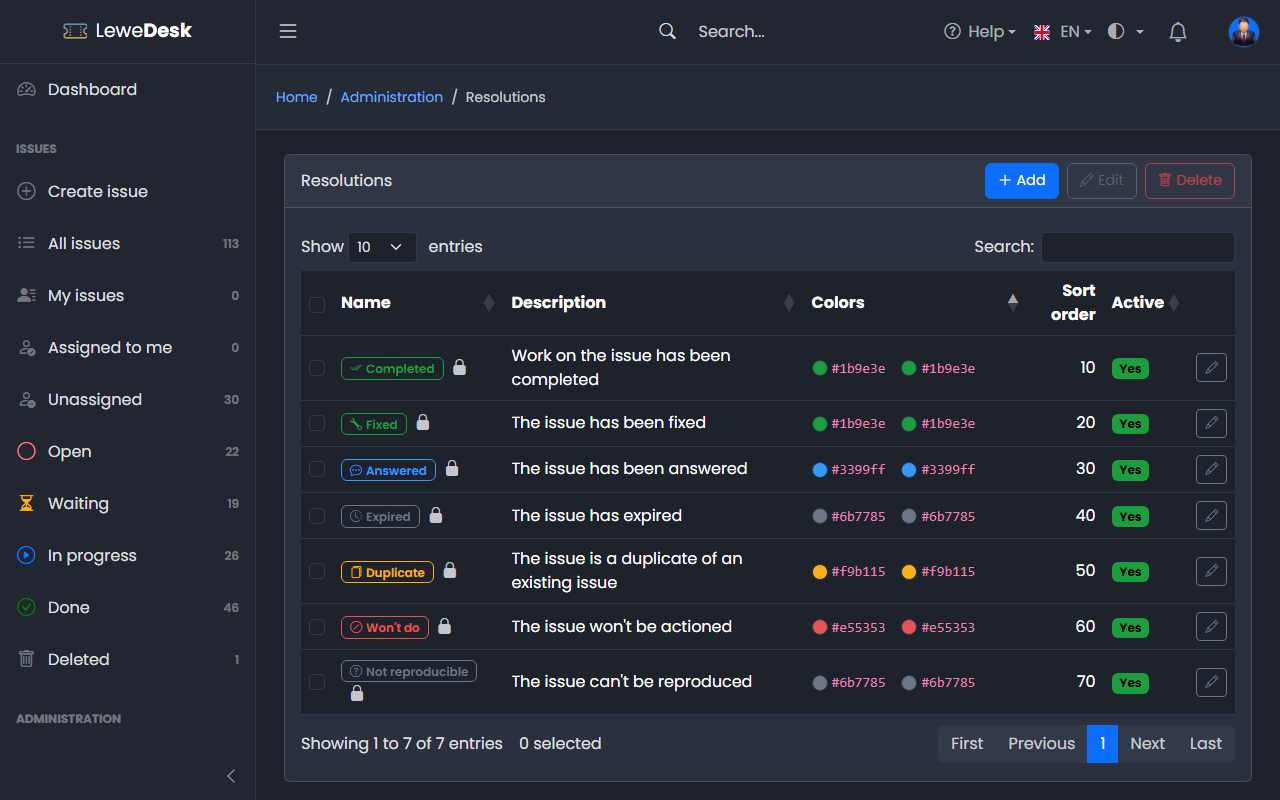
A resolution says why an issue is done. It is empty until the issue is resolved and mandatory once the status is in the category Done (the Resolve action and the Edit page ask for it). Requires the permission manage_resolutions.
System resolutions
| Name | Description |
|---|---|
| Completed | Work on the issue has been completed |
| Fixed | The issue has been fixed |
| Answered | The issue has been answered |
| Expired | The issue has expired |
| Duplicate | The issue is a duplicate of an existing issue |
| Won't do | The issue won't be actioned |
| Not reproducible | The issue can't be reproduced |
Duplicate does not require a reference to another issue. Mention the original issue key (for example LD-12) in a comment. It is linked automatically.
Buttons
| Button | Function |
|---|---|
| Add | Opens the form to create a new resolution |
| Edit | Opens the Edit page for the selected resolution |
| Delete | Deletes the selected resolutions. System resolutions cannot be deleted. If issues use it, you select a replacement. |
Add and Edit Resolution
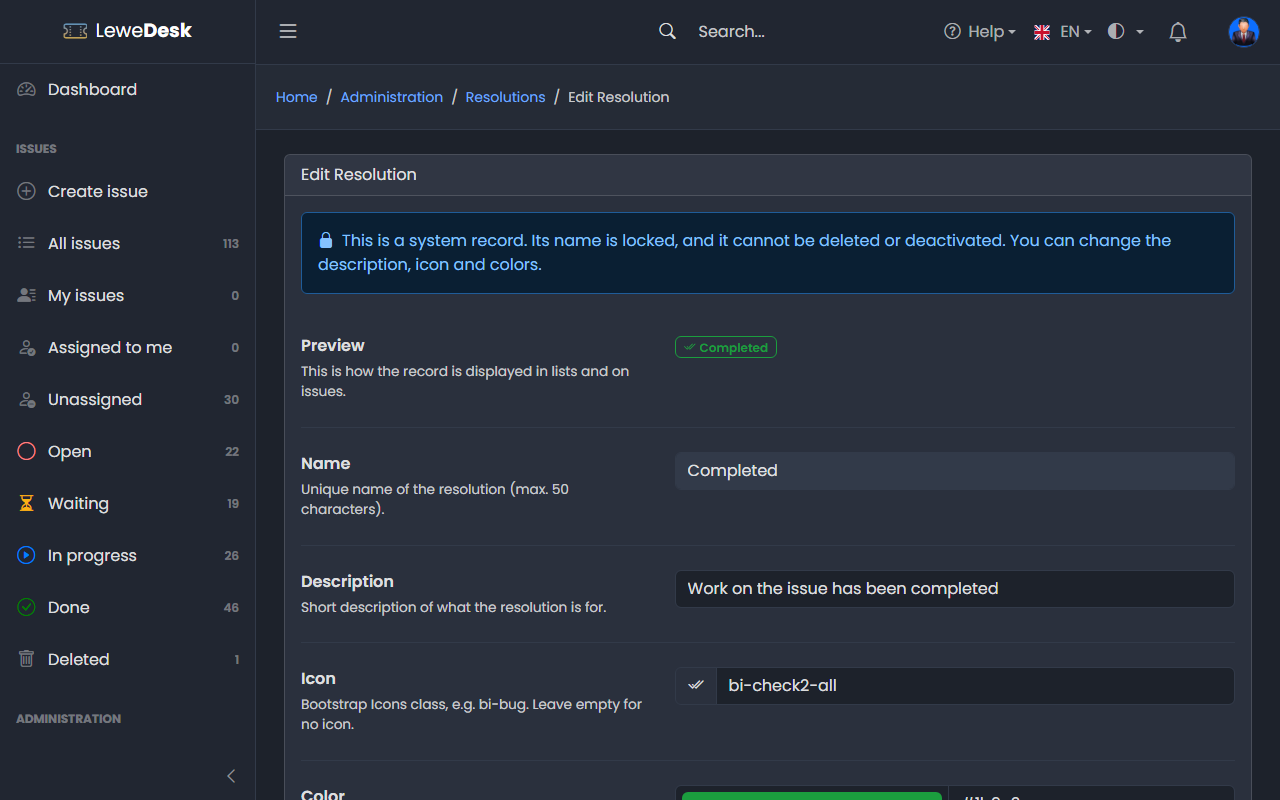
See common fields.